Web Browser
What is Web Browser?
Surfing the web is made possible by Web browsers. Browsers are basically software programs that allow you to search for and view various kinds of information on the Web, such as web sites, video, audio, etc.
Example of Web Browser:
Internet Explorer (IE)
Microsoft Internet Explorer (IE) has become the overwhelming
standard for browsing web pages online. All Windows-based computers come
pre-installed with Internet Explorer, and versions appear on other platforms.
This prevalence (along with speed, stability, and ease of use) is what has led
to IE being the preferred web browser for both creators and users of the world
wide web.
Opening Microsoft Internet Explorer:
Start >> Programs >> Internet Explorer, or look for the
Internet Explorer icon on the
desktop or
start menu or
quick launch.
Click the

icon with your mouse to launch the Web browser program.
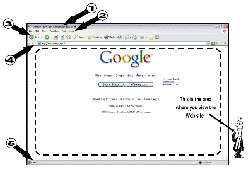
(see snapshot)